UI/UX PIX4Dcatch
UX/UI, 2020
- Role
- Technical Lead
- Year
- 2020
- Company
- Pix4D SA
- Platform
- Mobile (iOS & Android)
Project Overview
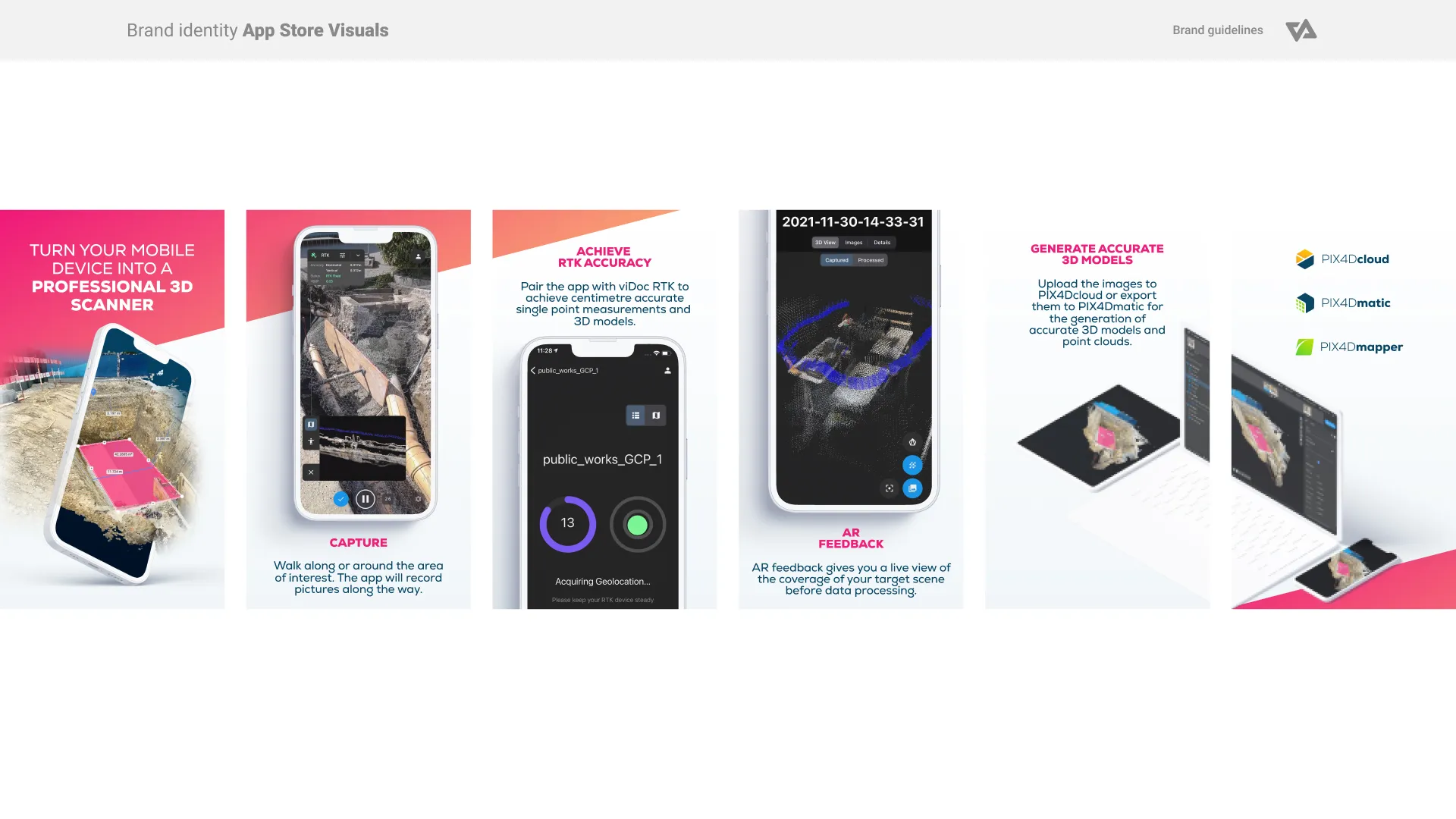
PIX4Dcatch is a mobile application that transforms smartphones and tablets into powerful 3D scanning tools using photogrammetry and augmented reality (AR). Designed for field professionals, the app allows users to walk around an area of interest while automatically capturing images enriched with positional data.
As Technical Lead, I was responsible for the UX and UI of the first version of the application. This included shaping intuitive capture workflows, applying Pix4D’s corporate design system, and delivering a scalable interface ready for future enhancements.
Project Goals
- Design a minimal and intuitive UX for image capture and cloud upload.
- Integrate live AR feedback for enhanced scanning control.
- Extend and adapt the Pix4D corporate design system for mobile AR environments.
- Ensure the UX was scalable, maintainable, and ready for iterative development.
Wireframing
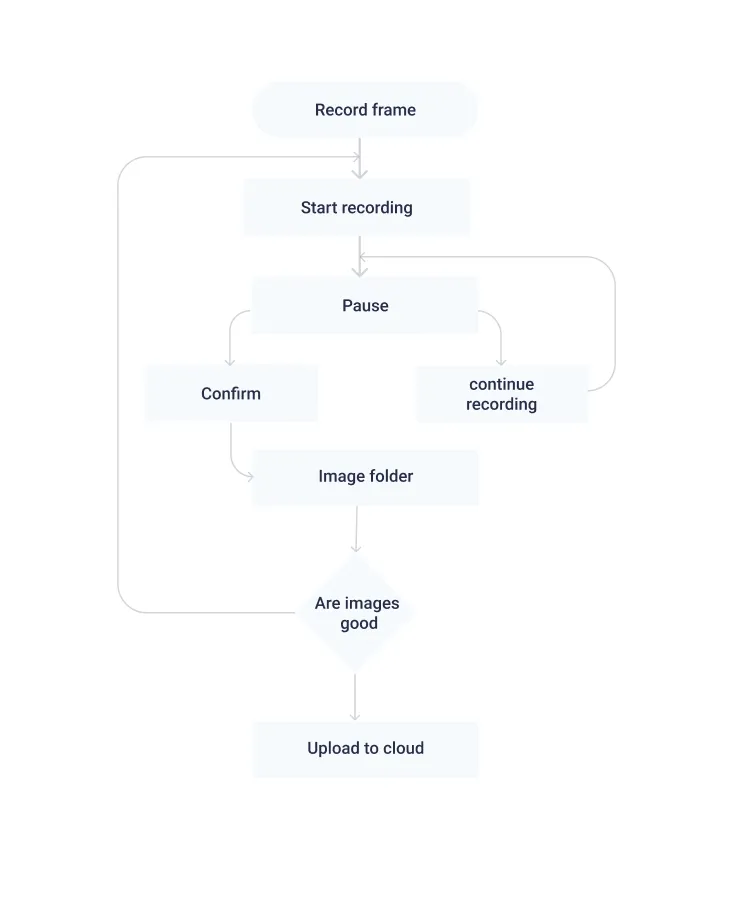
To shape the user experience, I developed low-fidelity wireframes exploring different layouts for the camera interface and project management dashboard. These wireframes focused on delivering a clean, minimal design that would reduce distractions during scanning, while providing essential controls and visual feedback. Through iterative prototyping and internal testing, the wireframes evolved to emphasize clarity, ease of use, and responsiveness in field conditions. This groundwork provided a solid framework for the final UI and future enhancements.
Camera Layout & Augmented Reality Feedback
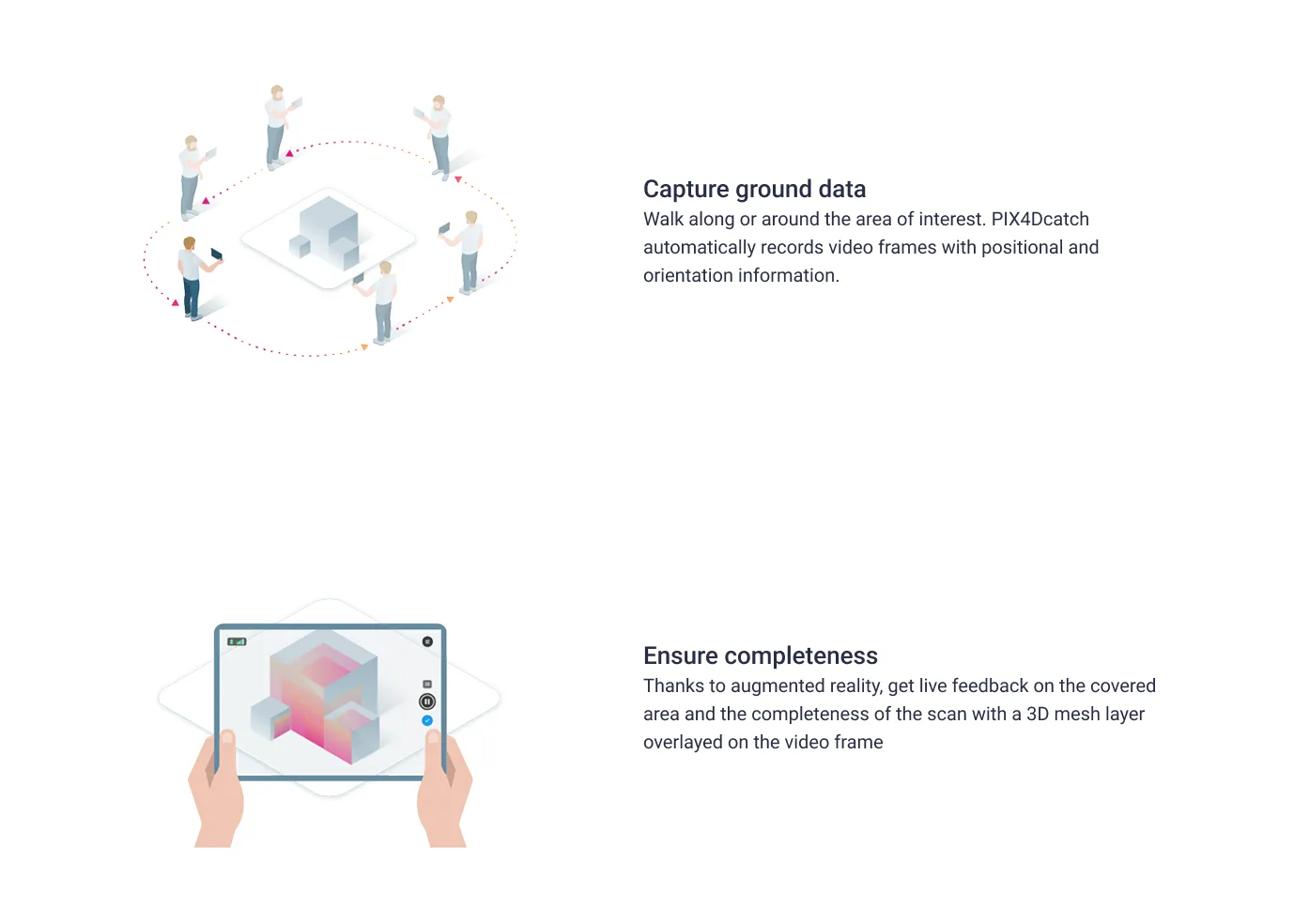
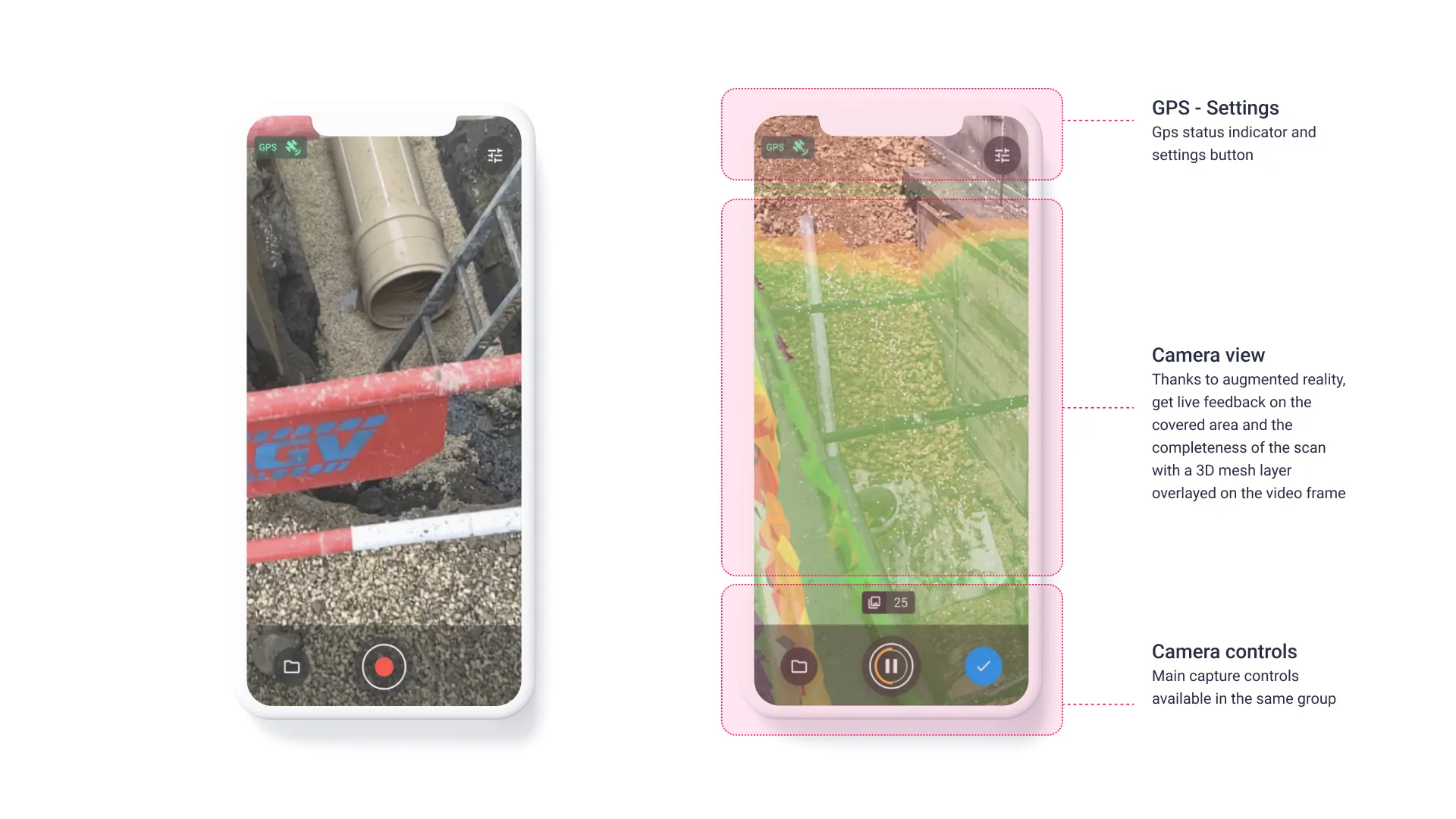
The camera interface was central to the app’s functionality. It combined live AR feedback with key controls for scanning and session management. A 3D mesh layer was overlaid on the video feed in real time, giving users immediate visual confirmation of which areas had been scanned and which required further coverage.
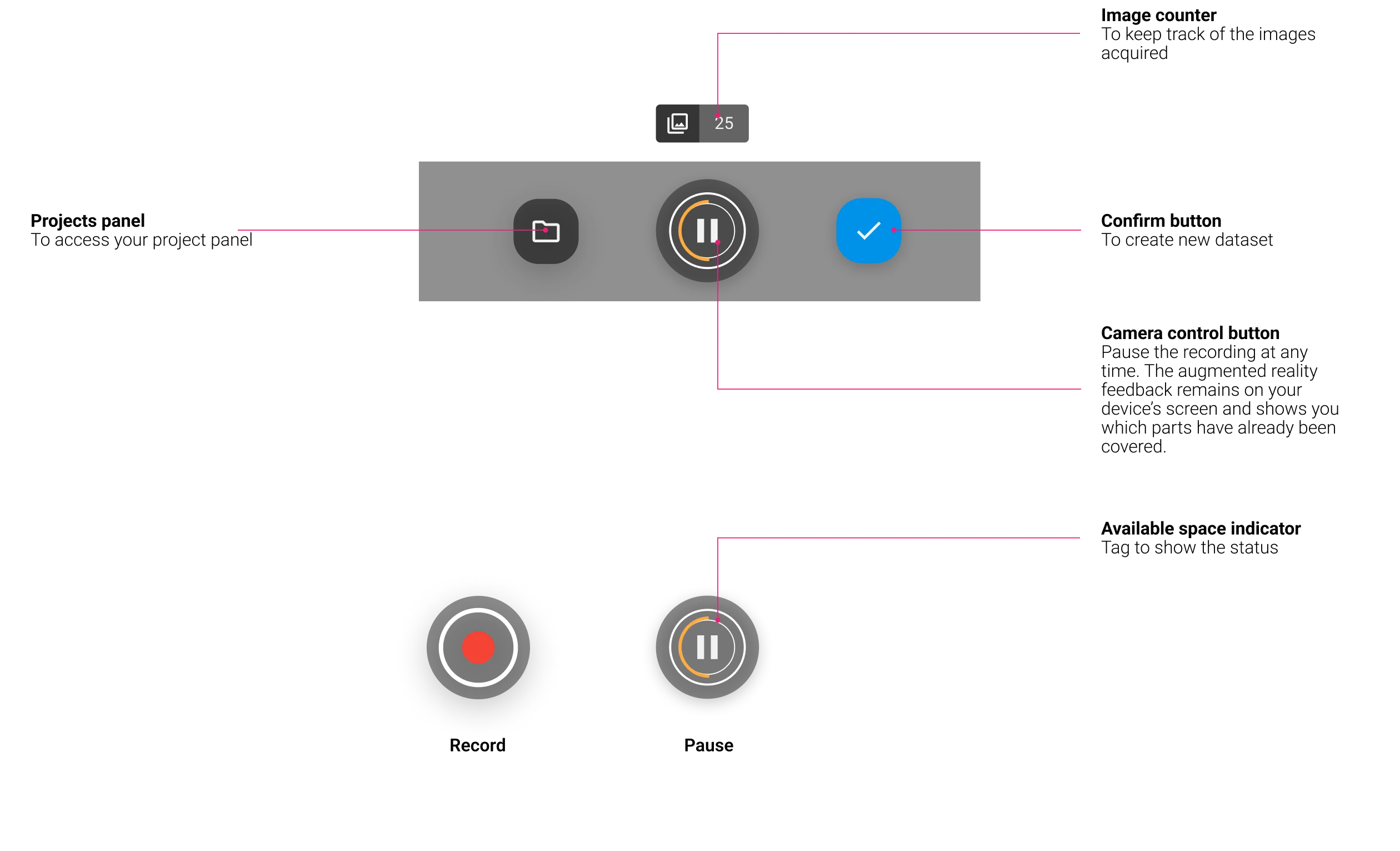
Key interface elements included a GPS signal indicator and quick-access settings, allowing users to monitor positioning accuracy and adjust capture preferences. The camera control panel provided access to a dedicated project area where scans were stored and organized. An image counter tracked the number of frames acquired, while a central capture button allowed users to pause and resume scanning. Even when paused, the AR overlay remained visible, ensuring situational awareness. To avoid interruptions, the capture button also included a memory availability indicator, warning users if they were nearing device storage limits.
Project Panel & Dataset Management
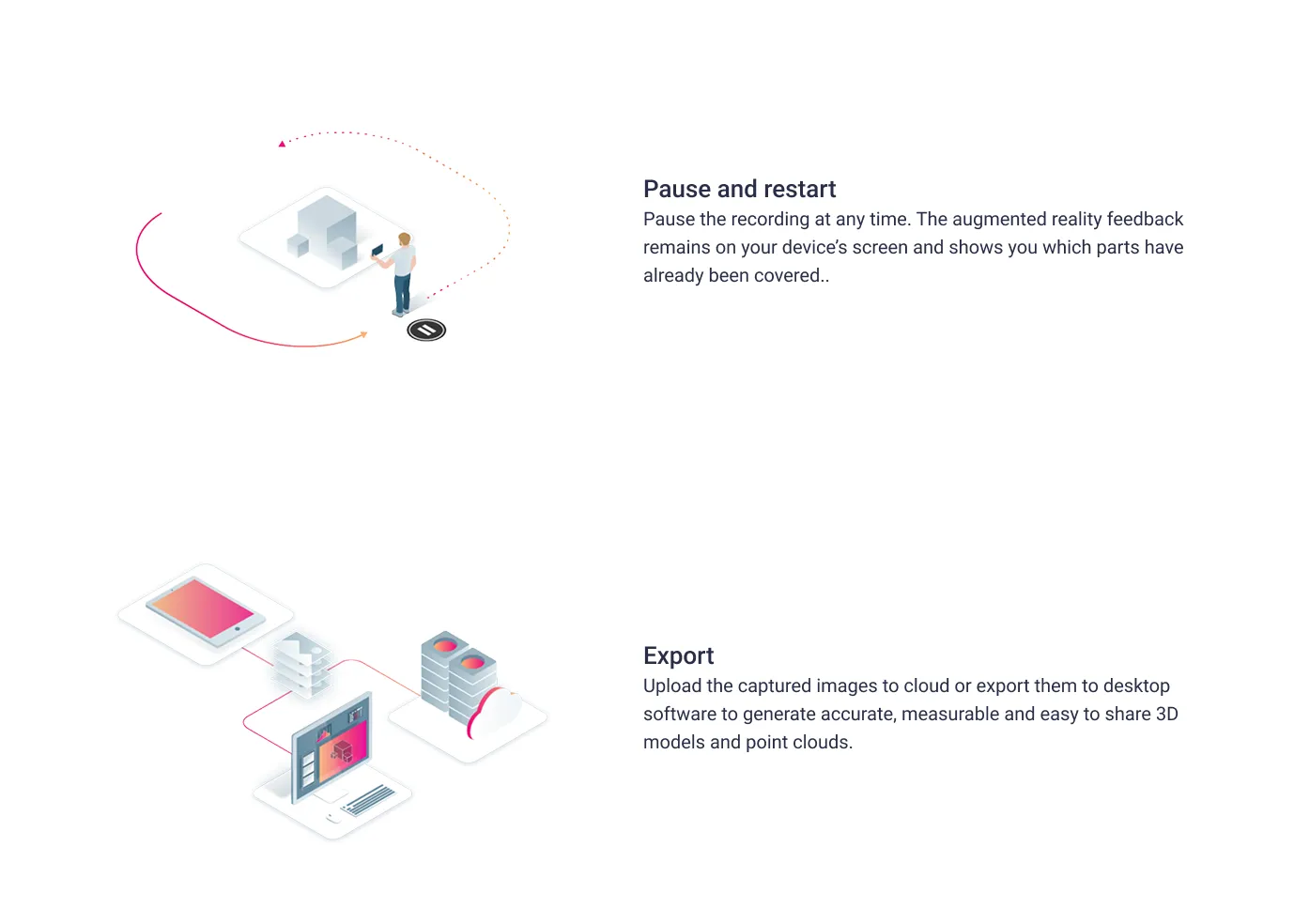
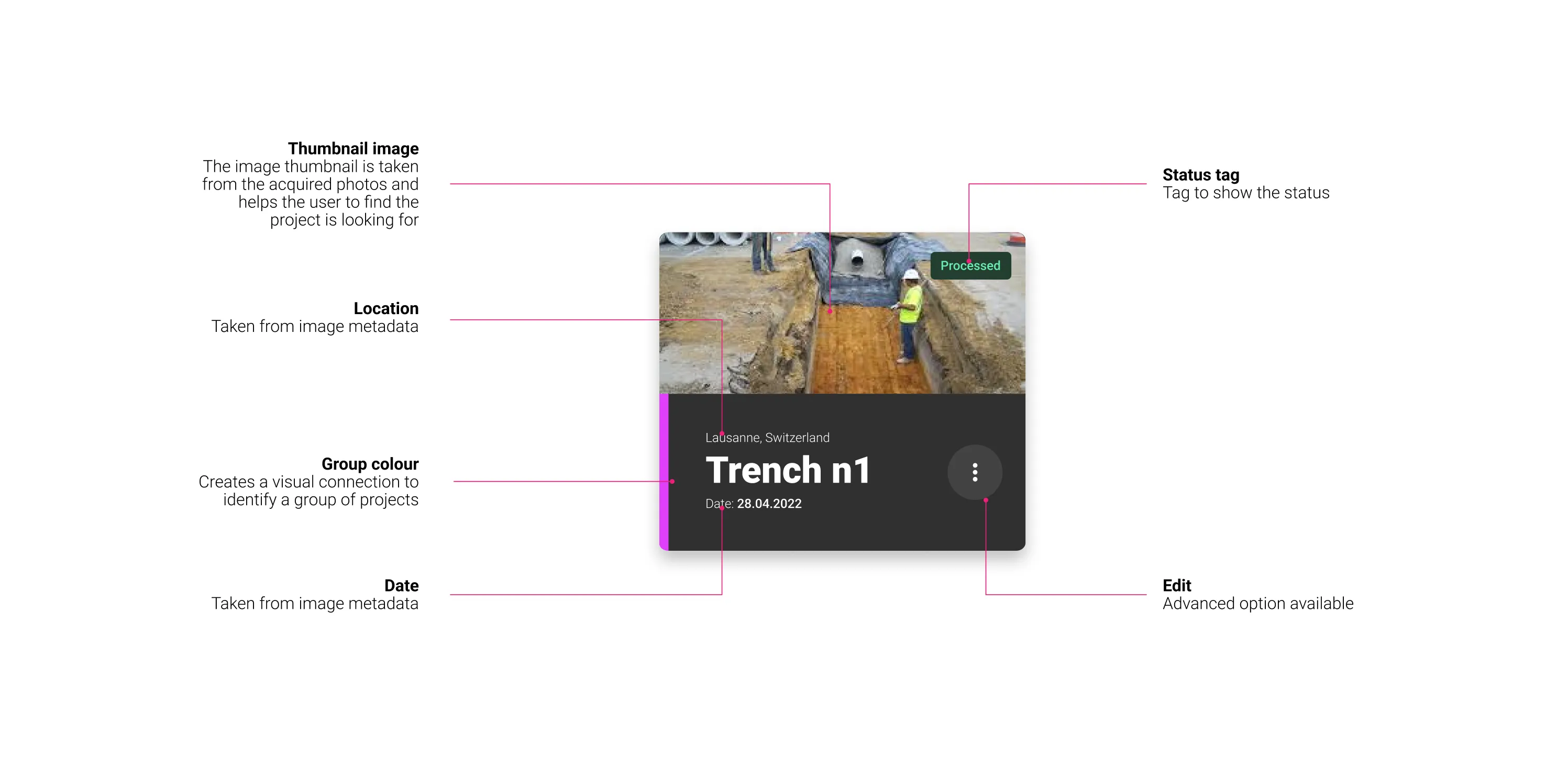
Alongside the capture interface, we designed a clean, card-based project dashboard for managing datasets. This panel provided direct access to the user's PIX4D account, making it easy to sync scans with cloud tools or export them to desktop applications like PIX4Dmapper and PIX4Dmatic.
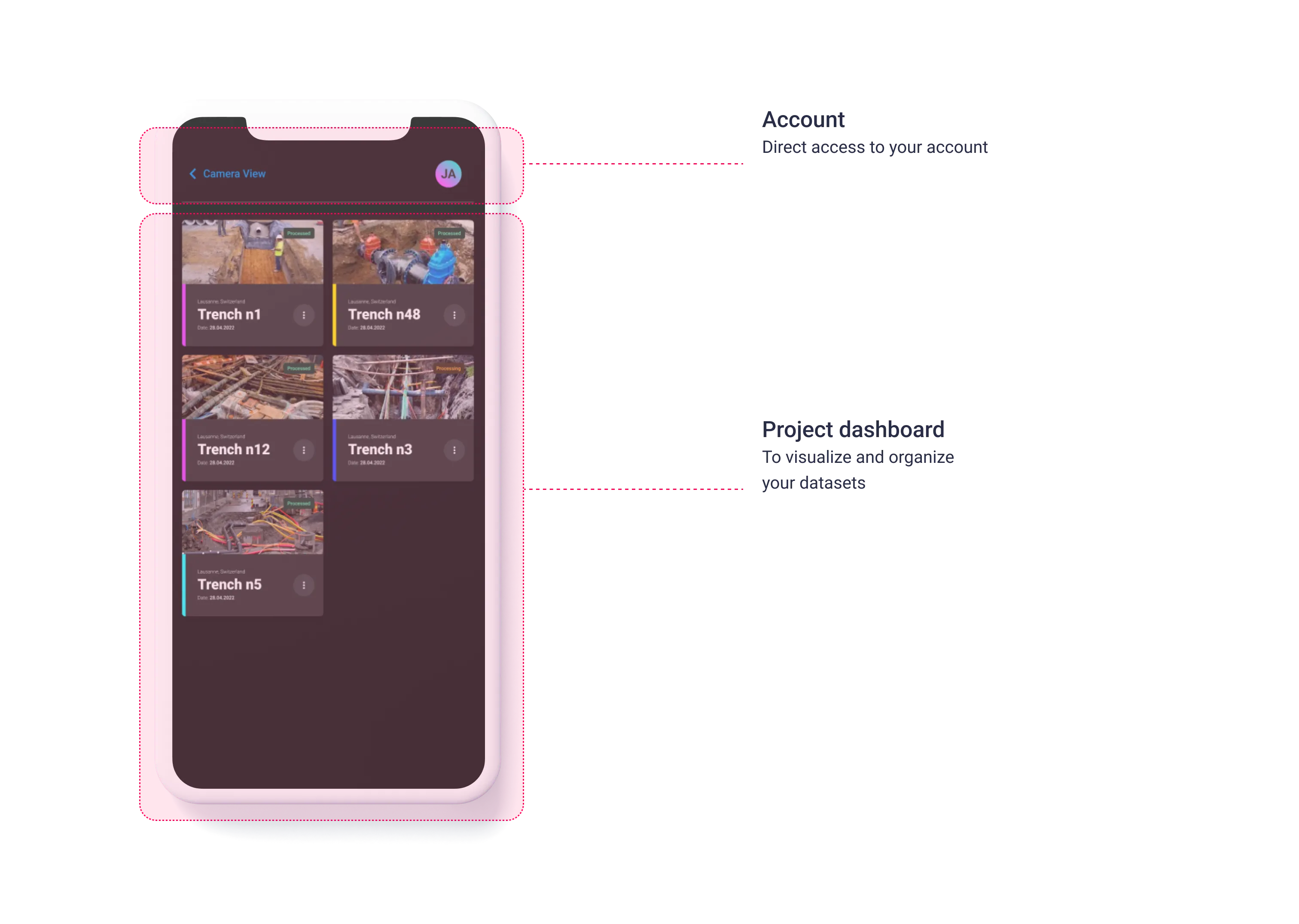
Each project was presented as a visual card, displaying a thumbnail image (automatically selected from the acquired photos), along with the project’s location, date, group color, and current status. This visual format made it easy to find and distinguish between datasets, even when managing multiple scans across various locations and timeframes. The addition of custom group color tags further helped users visually link related projects in a glanceable and intuitive way.
Outcome
The first version of PIX4Dcatch delivered a robust and easy-to-use solution for field data acquisition, bridging the gap between mobile scanning and professional 3D processing tools. The design enabled professionals to complete high-quality scans with minimal training, thanks to a simple, AR-enhanced interface and an organized project workflow.
By applying and expanding Pix4D’s corporate design system to fit a mobile AR experience, we also set a visual and functional foundation for future app development. The UX work not only streamlined initial release goals but also created a scalable framework for new capabilities and integrations that followed in later versions.